• Welcome to Talking Time's third iteration! If you would like to register for an account, or have already registered but have not yet been confirmed, please read the following:

    1. The CAPTCHA key's answer is "Percy"
    2. Once you've completed the registration process please email us from the email you used for registration at percyreghelper@gmail.com and include the username you used for registration

    Once you have completed these steps, Moderation Staff will be able to get your account approved.

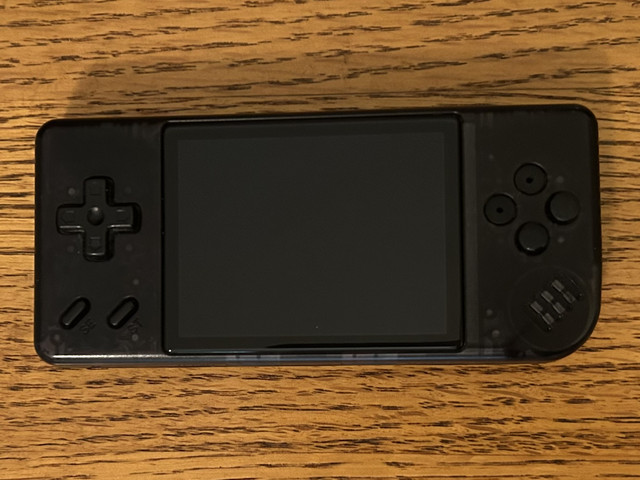
Miniloong Pocket 1

Another handheld by a new developer and direct competition to Anbernic’s XX line. It’s got a 4 inch, 4:3 screen. It’s got an HDMI-out and a standard headphone jack. It’s got a good layout and is very comfortable to hold. (It’s a little hefty, but feels solid.) The build quality is very good and it’s nice to play on. The gimmick is the custom faceplate and d-pad that you can swap out. (It’s unclear if they’re ever going to make any other faceplates, though. And honestly, that’s not much of a gimmick.)

I quite like the custom Retroarch front-end (LoongOS) and the fact you can choose between their custom menu and the full Retroarch menu for the dedicated Menu button to open (and their custom menu can always open the full Retroarch menu, anyway). So you’ve got full and easy access to save states, cheats, hotkeys, shaders, all the good stuff.

The problem is it’s a solid Tier 2 device, directly comparable to the RGXX series in terms of what it can run. SNES, Genesis, PS1? They’re great. But N64 is janky and mostly unplayable, and PSP pretty much only plays minis (though the SD card did come loaded with them). DS games run fine, but the screen isn’t great for them, so you’re limited to games where you don’t really need a touchscreen and can ignore the second screen most of the time.

In a direct comparison against the Anbernic RG40XX, it’s comparable or maybe slightly better in build quality and runs basically the same stuff. It’s similarly a bit too big to be pocketable, but absolutely comfortable for long play sessions. Like Anbernic’s systems, it comes fully loaded and ready to go right out of the box with virtually no setup. The 4-6 hours battery life is comparable, as well. That said, I found it on sale for $60 and it’s usually in the $80-90 range, and once you’re at that price point you can get something like the Mangmi Air X and actually play DS, N64 and more PSP. (And in either case you’ve reached “this won’t fit in my cargo pants pocket” size, so going a little larger doesn’t really matter.)

Overall: If you want to play SNES, Genesis and PS1, it’s a lovely device. It’s comfortable to hold, great frontend, decent battery, nice screen and beautiful emulation. But it doesn’t have a good place in my ecosystem because I have smaller, more pocketable devices that cover the same range of systems (or better) and larger, even more comfortable devices that play higher-end systems.
 
AYN Thor

It's pretty dope. Now I don't have to choose between a 3DS and a Vita. I got something that can play both fine! It also run DS well. My Franken-DS has better proportioned screen with respects to DS content specifically, but I was never quite satisfied with controller options for it, whereas the Thor's controls are reasonably good for the job.

Aside from that I've been trying trying some PC emulation. The containerization will probably keep me from putting too much on here (2-3 GB of extra storage just to get Zexion running is too much storage space scaled up to the rest of my library of potato spec PC games...), but I can see using this for bigger mid tier PC titles.
 
Last edited:
I've been meaning to try the latest build of GameNative, since it's been something like 6 months since I've tested it; word is at this point it's actually a pretty good solution for playing Steam games on an Android handheld.
 
I put it on my retroid 5 and used it to play dicey dungeons. Main gripe is the first time I logged in with it, that login held for a week and I could just boot up a game without any fuss. Later, though, it started prompting me to log in to steam every time I opened it, which was annoying enough that I kind of lost interest.

It also allows you to install shortcuts to specific games on your home screen but those didn’t seem to do anything when I tried them, likely because I got logged out of steam every time I backed out of the app.

May have been updates since then that make it smoother.
 
I got my RG28XX about 2 weeks ago. I spent a lot of time messing around with the operating system and I opened it up a few times to remove some parts. I have it in a place where I'm reasonably happy with it, though I plan to make a few more changes eventually.

image0.jpg


I removed the X and Y buttons because the systems I'm using it for only have 2 face buttons and I don't want the other two buttons for anything. This might sound weird, but just having two buttons under my finger is really refreshing. I eventually swapped the B for X because I didn't like the bright yellow color on the B button. Anbernic just started selling replacement parts, and I'd like to eventually buy solid black buttons. Right now I have electric tape covering the holes, but I might eventually use resin or find some caps that fit for something more permanent.

While I had it open I added a couple of pieces of tape to the start, select, volume, and shoulder buttons. They were kind of loose and rattled, and the tape helps. This was not 100% necessary, but I already had it open and I do think it improved the overall feel just a bit. I tried removing R2 and L2 as well, but I didn't like the feel of the holes in the top of the device, even with tape over the holes, so I added them back in. I might find a solution for this someday and remove them again. One other thing I might do in the future is color the inside of the shell black. They used a white PCB inside a clear black shell and I'd rather it be darker/closer to black overall.

I love MinUI, but it has a weird issue on RGXX devices where it makes a pretty loud popping sound when exiting a game, even if you have the volume at the lowest setting/muted. This is due to something about the screen refresh rate and the way MinUI works. I spent some time trying out muOS and I really disliked having to mess with Retroarch settings. The same applies to the stock OS. I missed the simplicity of MinUI. Eventually I re-installed MinUI and then opened the system up again and removed the speaker. I'm going to be using this on the subway anyway, and the headphone jack still works. With headphones there's still a very dull pop when exiting a game, but I can live with that if it means not having to spend more time in Retroarch menus.

As much as I like my Odin 2 Mini, I missed the extreme simplicity of Linux/MinUI. Right now I'm playing Metroid II, and when I pick up the device and turn it on, it shows the boot logo for about 20 seconds then goes right into the game. If I need a short break I can just tap the power button. If I tap it again within 2 minutes it instantly goes back to the game. If I leave it for over 2 minutes it creates a save state and shuts down on its own. There are very few settings. I have hotkeys for save state, load state, and toggle fast forward. if I want to change games it just goes to a text menu with folders and each one just has a list of games.

OK, so, now that I've picked the RG28XX apart and put it back together, what do I think of it? Overall, I like it a lot. Game Boy and equivalent games look great on the screen. It's comfortable to hold. I've seen people complain about the face buttons being small, but they feel great to me (maybe having 2 instead of 4 helps?) It is much more pocketable than the TrimUI Brick. I probably won't leave it in my pocket all the time (it's more than twice as thick as my phone or wallet), but I can see carrying it around if I'm going to be out without a backpack and know I'll have some downtime. Games run great, and everything works the way it should. It's easily worth the $45 I paid for it.
 
On one hand, I absolutely would not have refitted a handheld the way you did here; but on the other I applaud you for it, because it sounds like you optimized it for what you want. Nice!
 
On one hand, I absolutely would not have refitted a handheld the way you did here; but on the other I applaud you for it, because it sounds like you optimized it for what you want. Nice!
Oh, this is absolutely a weird little bespoke device now. I happened to see a Reddit comment urging people to customize their devices right when the RG28XX was about to arrive, and that sparked the idea of removing buttons. If I hadn’t started with that I would never have done the tape mod or removed the speaker, and I probably wouldn’t be as happy with this. Removing the battery & screen cables was harrowing, but now I’m really happy that I did it.
 
Now that I have a Thor and don't need two Android devices by the same company with the same chipset, I'm thinking of trying to install ArmadaOS on my Odin 2 to turn it into a Steamdeck lite for smaller PC games.
 
Welp, I finally got my SuperStation One in. For those not aware, it's basically a MiSTer setup, just in a PSOne form factor. Unless you get the dock, like I did. Right now, it's basically just a MiSTer, although it has a lot of cool stuff built in (SNAC ports for PS1 controllers and memory cards, Bluetooth and WiFi, a ton of different video out options including composite and S-Video, etc.).

The promise, of course, is the fancier console mode, which prettifies the basic MiSTer setup to something more user friendly, and that's in beta currently. The other thing in testing is actually having the CD-ROM drive work in the dock. Unfortunate that it doesn't yet (and you'll see most reviews mention as such), but hopefully it'll get added in soon. I like the idea of either running off original media or ripping my own directly on the system itself.
 
Now that I have a Thor and don't need two Android devices by the same company with the same chipset, I'm thinking of trying to install ArmadaOS on my Odin 2 to turn it into a Steamdeck lite for smaller PC games.
Successfully installed. Things are running about as well as they did in GameNative on Android, but without the containerization, which is a big deal for smaller titles. This should make for a nice lighter handheld to play 2D games on.
 
I found another tiny handheld.


2” screen, like the Trimui Model S. It’s shorter, but much thicker (15mm vs 10mm). Absolutely not something I need, but I really admire the pack-of-gum design anyway.
 
Successfully installed. Things are running about as well as they did in GameNative on Android, but without the containerization, which is a big deal for smaller titles. This should make for a nice lighter handheld to play 2D games on.
Just seeing this now but that’s super cool! I only learned about the recent trend towards running PC games directly on handheld recently and it really makes me interested in picking up an android handheld to play pc indie games on the go when I can afford to in the future. Is there a recommended list of budget handheld devices that can run lower end PC games well? Im mainly just interested in 2d indie games and older (90s/2000s) games.
 
Just seeing this now but that’s super cool! I only learned about the recent trend towards running PC games directly on handheld recently and it really makes me interested in picking up an android handheld to play pc indie games on the go when I can afford to in the future. Is there a recommended list of budget handheld devices that can run lower end PC games well? Im mainly just interested in 2d indie games and older (90s/2000s) games.
Depends on what your trying to do. I think all PC emulation is limited to Snapdragon Chips, so none of the really budget end Android devices. ArmadaOS requires a Snapdragon 865 minimum (and is still a work in progress mind you...). That's what the Retroid Pocket 5 has, and those look to be relatively cheap still ($220 from Retroid directly, or $250 on Amazon). With GameNative you can potentially get away with a 845 or 855 in some cases, but you're also dealing with the container issue still, which adds about 1 to 2 GB to the size of each game in storage.

Edit: As someone tinkering with both, I'd recommend sticking with GameNative for now. It uses Steam APIs so you can just download from your Steam library directly to your device and just limit yourself to what you're currently playing to keep storage usage reined in. You can also just side load PC games and forego signing into Steam entirely if you choose (Or use Epic, GOG, or Amazon if you use though). ArmadaOS is basically a SteamOS fork and pretty much requires a Steam account.
 
Last edited:
Depends on what your trying to do. I think all PC emulation is limited to Snapdragon Chips, so none of the really budget end Android devices. ArmadaOS requires a Snapdragon 865 minimum (and is still a work in progress mind you...). That's what the Retroid Pocket 5 has, and those look to be relatively cheap still ($220 from Retroid directly, or $250 on Amazon). With GameNative you can potentially get away with a 845 or 855 in some cases, but you're also dealing with the container issue still, which adds about 1 to 2 GB to the size of each game in storage.

Edit: As someone tinkering with both, I'd recommend sticking with GameNative for now. It uses Steam APIs so you can just download from your Steam library directly to your device and just limit yourself to what you're currently playing to keep storage usage reined in. You can also just side load PC games and forego signing into Steam entirely if you choose (Or use Epic, GOG, or Amazon if you use though). ArmadaOS is basically a SteamOS fork and pretty much requires a Steam account.
Thank you for all the info! Really appreciate it, will definitely be on the lookout for a Retroid Pocket 5 when I can afford one then.
 
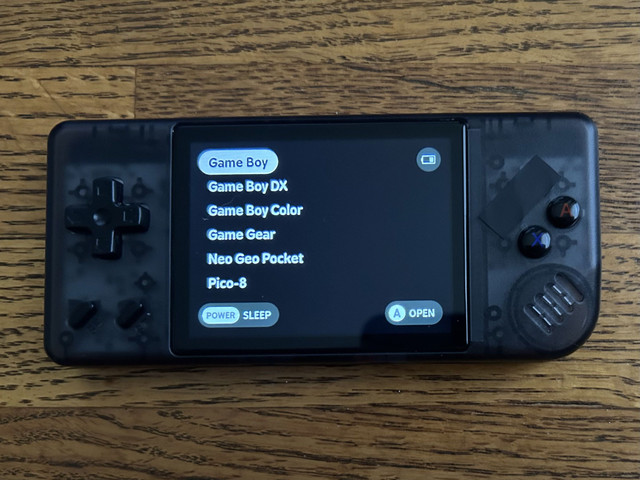
Anbernic RG Rotate

This seemed like it was just going to be another cheesy gimmick device: The screen rotates and a controller folds out. But it turns out it’s overpowered for the price point and can do all sorts of things, and the small size and good battery life play well with that.

My first note was that this thing is hilariously overpowered for what it is. Like, it’s a square screen and pocket-sized, so you think, “Oh, it’ll be ideal for Game Boy, Game Gear, Pico-8, that sort of thing.” This thing runs Gamecube. It runs 3DS almost as well as my Odin. It runs N64 beautifully (though you have to map the keys carefully because it doesn’t have quite enough buttons—there are two sets of shoulder buttons but no analog sticks). In the $100 price range, this beats out pretty much everything I’ve tried in terms of what it can handle. It also came loaded with both a custom RetroArch launcher (which you can set as the default) and all of the standalone emulator apps. Most of them had decent settings out of the box, too.

I got a soft case from AliExpress and got a keychain carabiner so I could hang that off a backpack or belt loop (because I’m a dork who keeps my phone in a belt holster). But it’s also totally pocketable. The 4” diagonal screen is the full size of the device; it’s about the same size as a DS SP (or any of the clone devices) and therefore smaller than most phones. Especially with a screen protector—which was included—this thing is ultra-portable. It takes a minute to boot up because it’s running Android, but it also has a fully-functional sleep mode and plenty of battery power for being left on standby (especially in airplane mode), so it’s really great for my “using on the subway” case.

The advertisements presented “mp3 player” as a use-case, though that begs the question of why doesn’t it have a headphone jack? I’m not a fan of airpods, so I ordered a couple of USB-C wired headphones—I suspected, and was later prove correct, that the mp3 player use case is very viable after you got over that annoying hurdle. In the case that I can clip to my belt with a pair of cheap wired USB-C headphones, this is an excellent mp3 player that doesn’t drain my phone battery or cost me phone storage to use. (Someone slightly less dorky would put it in their pocket and use wireless earbuds and I’m sure that would work too.)

I got enamored with the “what else can I do with this?” given that it’s running Android, is decently powerful, and is more portable than many phones. I loaded ReadEra on and some epub books, and you need to increase the font size a bit (and reading pdfs isn’t viable) but it’s totally good for a “I’m bored, I’ll read something”. I loaded in VLC and some video files (and curiously, it reads MAME roms as videos), and yes, you can absolutely watch cartoons on it. (Though you need to be careful not to nudge the shoulder buttons and fast-forward.) And yes, you can play Android games, though the screen is a bit small for many of the them. (You need good eyesight to play most KEMCO rpgs squashed into a square screen.)

Overall: This is a mini-smartphone. Like, it’ll do most of the stuff I burn my battery on my phone for—when I’m in wi-fi I could be checking email or posting on Tumblr if I really wanted to. Alternately, though, it’s a massive source of entertainment that’s insanely carryable, unobtrusive, and doesn’t necessarily rely on the internet. I’m going to do my best to carry this and reach for it instead of doomscrolling.
 
Moving On Old Handhelds, Summer 2026

I’ve been making an effort to manage my handheld collection, keeping it down to devices I actually want to use rather than cluttering my house with things that will eventually become e-waste.

Four devices I actually moved on:
  • The Anbernic RG35XX was absolutely a success story. I paid $55 for it, played 62 hours on it, then sold it to a friend for a net $42.
  • The R46H Hand-held Console cost me $38, I fiddled with it for an hour or two, and then donated it to a charity auction. Honestly, I was never expecting that much from it but I figured it would be both cheap and decent enough I wouldn’t mind passing it on.
  • The Miniloong Pocket 1 cost me $60 because I found it on sale on AliExpress. I also fiddled with it for a couple of hours, but it didn’t have a good place in my ecosystem. I turned around and sold it on eBay (in the original box and everything) for $60, which after fees meant I net $47. So I paid $13 to play with it for a couple of hours and get a sense of it, which isn’t super-efficient but isn’t bad.
  • The Ampown MagicX Zero 40 cost me $93 when I bought it from the manufacturer, and it was worth it because I was really excited for the gimmick. I played about 16 hours on it, but the issue was really that it wasn’t quite pocketable enough (the fact it wasn’t a clamshell and was instead both wide and tall really hurt it) and that my eyes aren’t what they once were: Shrinking down DS games smaller than their original size made jrpgs uncomfortable to read. (And I’m certainly not traveling with reading glasses to play a handheld!) I sold it for $50 and net $38 after fees on eBay, which wasn’t the most cost-effective by a long shot, but I suppose it’s not much different from giving away a $40 handheld, and I did play and enjoy a bunch of hours on it.
And four more I haven’t yet:
  • I waffled a lot on the Powkiddy V10, because it’s not super-comfortable without the grip and it’s not super-portable with it; and it’s only got one system it’s really good for (GBA), which basically every other handheld plays. But damn, it’s so good for GBA. The perfectly sized 2X screen is just beautiful. I only paid $55 for the system and the grip, and there doesn’t seem to be a used market for them. At least at the moment I’m holding onto it and playing GBA games for a while longer.
  • I’m wondering if I should move on my Retroid Pocket 2+, because I don’t really use it and it doesn’t have a great place in the ecosystem. (It has similar performance to the RG35XX-H and the same screen size but a much larger body that isn’t pocketable and a UI that isn’t as convenient; and it runs Android but now I have the RG Rotate for Android on a small screen.) The problems are that there also isn’t really an aftermarket for them at this point, and I would need to factory reset it because it’s connected to my Play Store account.
  • And I’m contemplating whether to move on my R36S and my Game Console Power Bank DY19. The R36S cost $42 and I’ve gotten 60 hours on it; and I have several other devices that fall into the “I don’t mind if this breaks” category and also the more-comfortable RG35XX-H plays all the same games on the same-size screen. Meanwhile, I’ve only had a handful of cases where I’ve used the Game Console Power Bank DY19, because I have a fast-charging power bank that holds 20,000 mAh and I’ve generally been willing to carry both that and a better handheld. (If I’m out long enough that I’m worried about charging, then I’m bringing a backpack.) As it was $30 and I doubt I’d find a buyer, I’m thinking I’ll bring that camping in a few weeks and then give it away.
 
GAMINJA ANS13

This is another variation on the R36S setup, and this is one of the ones that has a 4” square screen. Was I expecting anything special here? No, but it was $22, and I like to keep tabs on what the “ultra-low-end” has become.

Inside: Like the others, it’s running EmuElec and has sufficient power to play up to PSX (“tier 2”) just fine but can’t handle anything stronger, even if they pretend it will by loading the SD card with N64 and Saturn games. It’s all just Retroarch, and the settings are perfectly fine right out of the box but can also be fully adjusted to your liking. (It doesn’t have cheat lists loaded on, but all the functionality is there. In my perfect world I’d edit the hotkeys and add cheats, but you don’t have to.)

Outside: This feels cheap, but like a cheap handheld rather than a toy (like the $10 Famiclones often do). In addition to the proportionately larger screen, it’s got the standards: Two sticks and four shoulder buttons. 2 SD card slots, 2 USB-C ports, a headphone jack, a reset button, and a giant menu button that doesn’t work—select is the hotkey button. This has a “butt-cheeks” back design that I’ve seen on a bunch of other vertical devices, though in this case I didn’t find them ergonomic. The device is too thin for me to comfortably wrap my hands around the back when I hold it (and it’s another case where I suspect someone with smaller hands would like it just fine).

I didn’t talk about the square screen much with the RG Rotate, but it is really nice for the portable systems that originally used that aspect ratio. If your nostalgia is specifically for the Game Boy Color, a system with a square screen is ideal for making those games big and beautiful. 4:3 home console systems can be made to work fine—you can either just deal with black bars, or go fullscreen with “crop overscan” active in Retroarch, which will cut off the left and right edges to make the screen fit without stretching. Mind you, that may not be your optimal choice for platformers where that inch of screen can mean the difference between life and death, but it works just fine for rpgs. That said, the 3:2 GBA screen gets big ol’ black bars, and the 16:9 PSP gets thoroughly squashed down. (For this system, only the former actually matters; and GBA is still playable, but you lose a bunch of screen real estate. The PSP issue only matters for something like the RG Rotate that can actually run PSP games!)

Overall: Getting a fully-functioning member of the R36S family for 20 bucks is where we’ve landed in 2026. To think it was only 7 years ago that you’d pay $100 for half-decent SNES emulation. I see no reason to trade in my R36S for this in my current ecosystem, but if you’re looking for an “I don’t care if this gets lost or breaks” device that you can still have lots of fun with, here you go.
 

IMG-6720.jpg


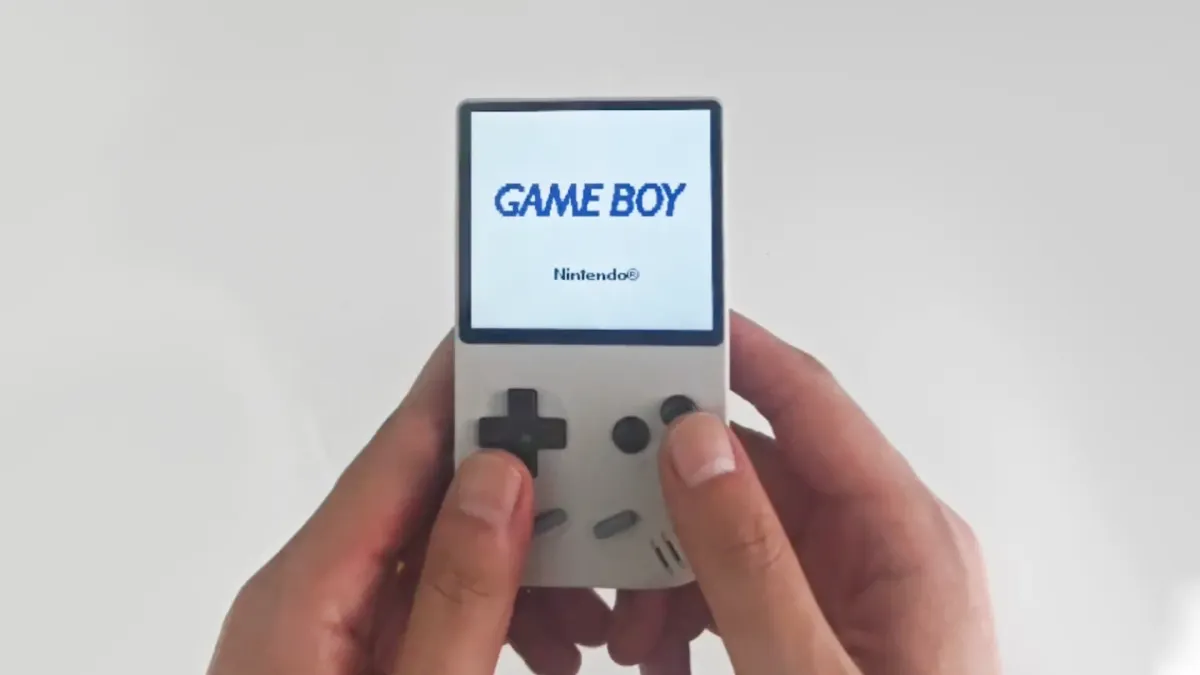
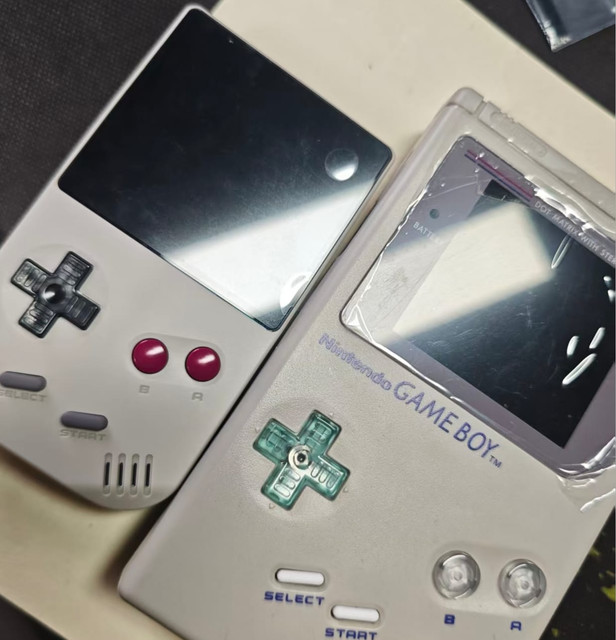
I’ve been enjoying my RG28XX, but man this looks super nice. It plays GB/GBC cartridges and can play roms off a SD card. It’s basically as small as possible with the constraint that it still accepts cartridges. Two face buttons, square screen, minimal bezels, looks like a Game Boy. No other details yet, but if it’s reasonably priced and reviews well it would be very tempting.
 
Finally done modding my RG28XX.

IMG-6793.jpg


I tried to get black buttons from Anbernic (out of stock), Etsy (seller no longer in business), and a marketplace (no one had them), then tried ordering a grey model to steal the black buttons from (one model had a stripped screw and then my other orders were cancelled twice). Finally I got fed up and just sanded the letters off my existing buttons with 150 grit sandpaper. They’re not as glossy as before, but they feel good and it was way cheaper.

I got an ultra fine sharpie and finished coloring the inside of the shell, too.

Overall I’m really happy with how it looks. I still wish it was like 5mm thinner, but it fits in my pocket well enough and I’ve played a bunch of Game Boy games on it already.
 
Last edited:
Pretty sleek, Patrick!

Catching up on the thread a bit…

Anbernic RG Rotate

This sounds like a cool high-power/small-size platform, but I looked up pics and I’m still unable to figure out what use case there is for being able to rotate a square screen.??

and a giant menu button that doesn’t work

… why do they keep doing this.
 
Thanks!
This sounds like a cool high-power/small-size platform, but I looked up pics and I’m still unable to figure out what use case there is for being able to rotate a square screen.??
It only has 2 states: one where the screen covers the controls, and one where the screen is higher up and the controls are uncovered. Instead of sliding up and down like the PSP Go, it swivels 90 degrees when it moves between states. So the rotate part is just a gimmick. But, I’ve heard they’re very nice devices.
 
It only has 2 states: one where the screen covers the controls, and one where the screen is higher up and the controls are uncovered. Instead of sliding up and down like the PSP Go, it swivels 90 degrees when it moves between states. So the rotate part is just a gimmick. But, I’ve heard they’re very nice devices.
That's pretty much it in a nutshell: It's a gimmick. In the covered mode it's actually pretty comfortable to just hold in my hand and read ebooks on; and it also means you don't need to open it to fiddle when using it as an MP3 player. Unfolded, it's very similar to any small vertical handheld.

… why do they keep doing this.
My theory is that they're all buying the shells/buttons/innards from the same places and just slapping software into them without much care, and if the innards are the same between one shell that has a menu button and one that doesn't, it's easier to just map the software to Select and dump it on both. I mean, it's a $20 device, I'm not expecting heavy quality control, y'know?
 
This feels the something one of you folks might know: Is there a good Android utility for mapping on-screen buttons to physical device buttons? A couple of KEMCO games don't recognize controller inputs, only the onscreen buttons. Any suggestions?
 
There are apps out there that do that for sure. I messed around with keymapper for a bit, but I do not remember if it lets you map on-screen buttons.
 
Depends on what your trying to do. I think all PC emulation is limited to Snapdragon Chips, so none of the really budget end Android devices. ArmadaOS requires a Snapdragon 865 minimum (and is still a work in progress mind you...). That's what the Retroid Pocket 5 has, and those look to be relatively cheap still ($220 from Retroid directly, or $250 on Amazon). With GameNative you can potentially get away with a 845 or 855 in some cases, but you're also dealing with the container issue still, which adds about 1 to 2 GB to the size of each game in storage.

Edit: As someone tinkering with both, I'd recommend sticking with GameNative for now. It uses Steam APIs so you can just download from your Steam library directly to your device and just limit yourself to what you're currently playing to keep storage usage reined in. You can also just side load PC games and forego signing into Steam entirely if you choose (Or use Epic, GOG, or Amazon if you use though). ArmadaOS is basically a SteamOS fork and pretty much requires a Steam account.

A new player has dropped: Droid-Deck

This one looks to sandbox the steam client and its ARM/Linux compatibility layer stuff in a single Android App instead of an OS. I'll have to play with it, but this might serve as a better middle ground between every game getting a separate container vs installing a new OS entirely for those smaller potato spec PC games.

Edit: One catch with this I've already ran into is you have to run in developer mode so you can disable child process limitations (makes sense since your running an OS in an OS basically...). I just wouldn't be trying to do this on a not dedicated gaming device since that might make buggy apps more prone to crashing the whole device.
 
Last edited:
Initial impression is "This could be good once they iron bugs out." It's still early in development, and there are glaring issues like audio bugs that detract from the experience, but it's worth keeping an eye on.
 
This feels the something one of you folks might know: Is there a good Android utility for mapping on-screen buttons to physical device buttons? A couple of KEMCO games don't recognize controller inputs, only the onscreen buttons. Any suggestions?
It's built into the retroid systems' overlay, if you have one of those
 
AYN and I believe Konkr products also have a map buttons to screen utilities baked into their Android build. Android generally has never allowed 3rd party key to screen functionality due to the malware risks posed by something like that, so 3rd party apps that offer it usually need you to have root access on the device.
 
Back
Top